

Have you ever tried looking for SEO extension or addon and was lost in the infinite loop of Jungle like I did? If you’re into Digital Marketing, you know that your internet life is incomplete without the browser’s extensions and addons. I actually conducted a small research, and you’ll be surprised to know that there are over 128,000 extensions as of today (Do note that Google has not anywhere officially mentioned the number of extensions listed on Chrome store). The number of extensions in Google chrome has almost increased by 9 times in last 5 years. Talking about Mozilla Addons, there are over 2,82,000 addons as per Google’s search index. That is almost 2.2 times that of Chrome extensions. It can be certainly argued, that I must have not correctly calculated and researched the number of Chrome extensions available. (Need a favor please – I’d appreciate if anyone could share the number, with sources).
As per the research by Internet WorldStats (https://www.internetworldstats.com/stats.htm) – There are about 4.1 Billion Internet Users which is close to 55% of the world population (Note: Data as of December 2017). And, as per the statistics and data collected by NetMarketShare (https://www.netmarketshare.com/browser-market-share.aspx?) Chrome has over 61% market share while Firefox has close to 11% market share. This means, there are approximately 2.4 Billion people using Chrome and about 411 Million users.
I have created a list of 100+ top extension and addons that is useful for any online marketer.
Chrome Extension (SEO)
1) MozBar –
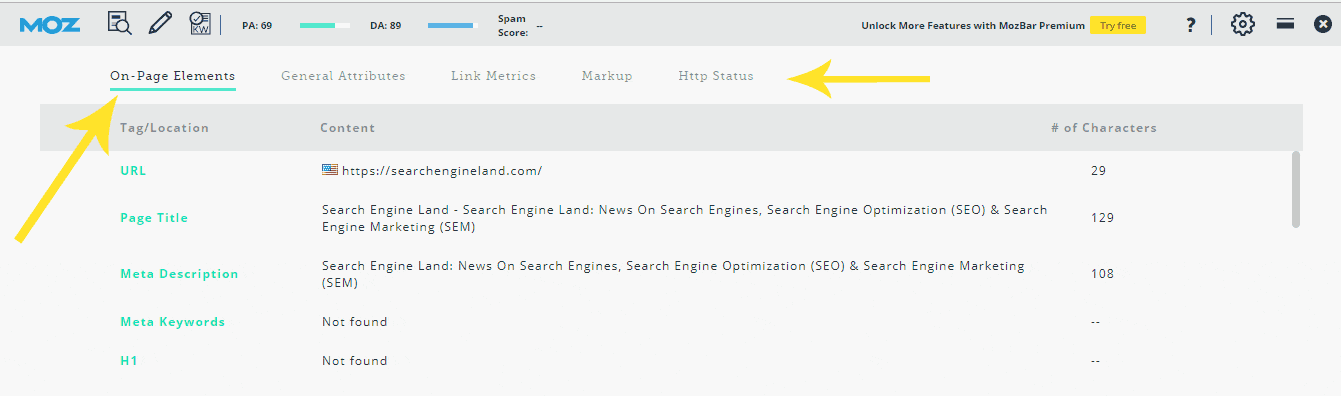
The old and famous, MozBar by Moz (Previously known as SeoMoz). This extension gives you an quick overview of Onpage elements and link metrics on SERPs or any webpage opened in your browser. You need to login (they offer a free account) in order to use it. This extension is developed by Moz.com (Founded by famous Marketer Rand Fishkin, who recently left Moz and joined his new startup SparkToro https://sparktoro.com/blog/last-day-moz-first-day-sparktoro/).
Number of Current Installs: 500,000
Last Updated: 30 April 2018
2) Open SEO Stats –
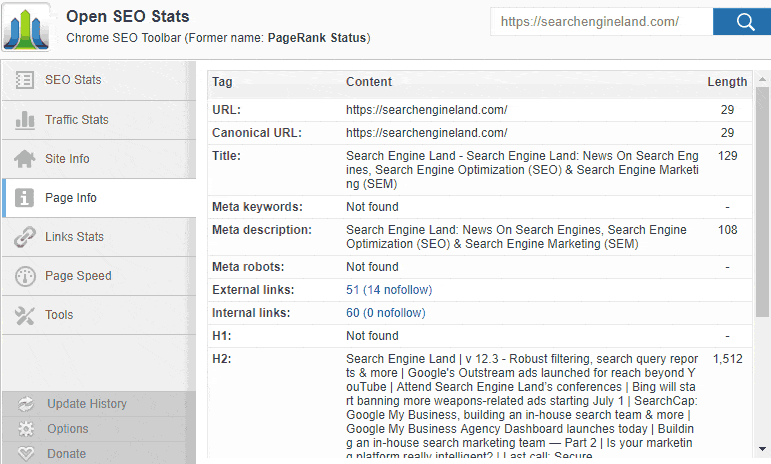
Formerly known as “PageRank Status”, this plugin has gained immense popularity in the SEO community. This plugin was launched in 2009 as a PageRank Checker, and now has evolved to a full webpage analysis plugin. You can see number of pages indexed in different search engines, web hosting server’s location, IP, number of backlinks, Alexa Ranking and even last cache. There’s a lot more to this plugin, give it a try!
Number of Current Installs: 294,449
3) SEO Quake –
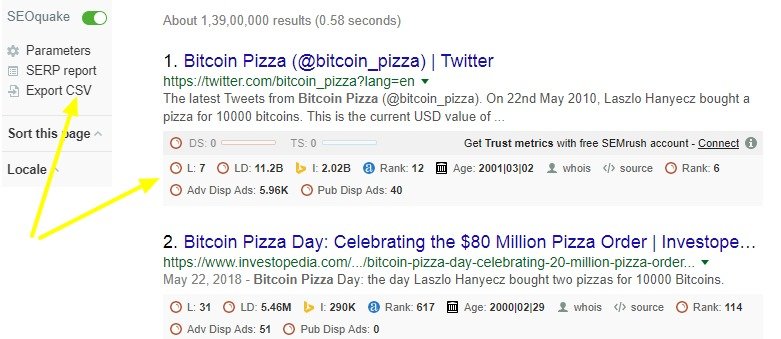
They show the metrics of the page, both in the browser window as well as the SERPs. It also lets you customize, which data you would like to see, and also give you a liberty to load by the extension by default or on request (to save the computer memory). You can even connect your SEMrush account to get a detailed analysis.
This one is my favorite chrome extension. Developed in 2008 by the famous team of SEMRush. They have put in their heart and soul to build this extension and it is a must must for any digital marketer. Some of the features they have integrated are Google cache date, social signals data, search engine index, whois, archive, SEMrush search engine traffic, SEMrush paid ads data, Backlinks data from SEMrush, Page source, Keyword density checker, and more.
Number of Current Installs: 464,288
4) SEO Meta In 1 Click –

This one is nice slick tool to quickly check your meta and title tags of the webpage in one click. This extension will let you know if you’re exceeding your title or meta description tag’s length, language tag, canonical tag and more. It not only displays the number of H1, H2..H6 tags that are used, but even lets you check the heading structure so you can quickly fix if it needs to be. You can also quickly see how many images are used and how many of them do not have any alt tag or title tags. Pretty handy & useful, if you want to optimise your website page speed
Number of Current Installs: 54,318
5) Meta SEO Inspector –
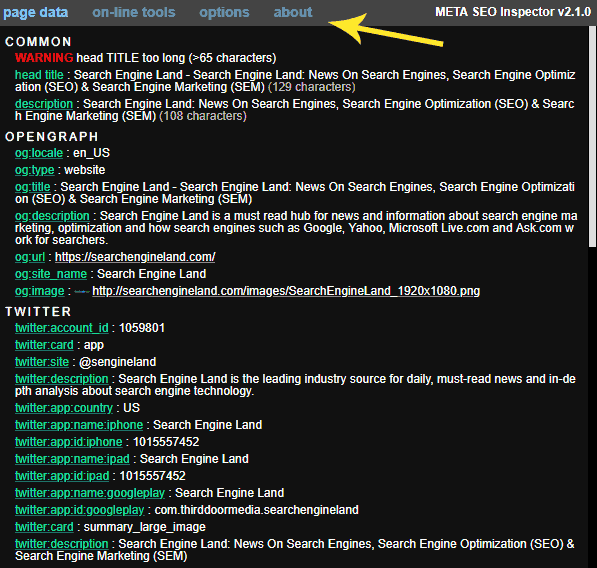
This extension lets you analyse your webpage quickly with an overview of basic Onpage elements like Title, Meta tags, and heading tags. The added benefit of this tool is, it lets you check the Opengraph data, twitter card and even schema.org integration. It’ll also find what wordpress version your website is using.
Number of Current Installs: 1,07,787 users
6) The Tech SEO –
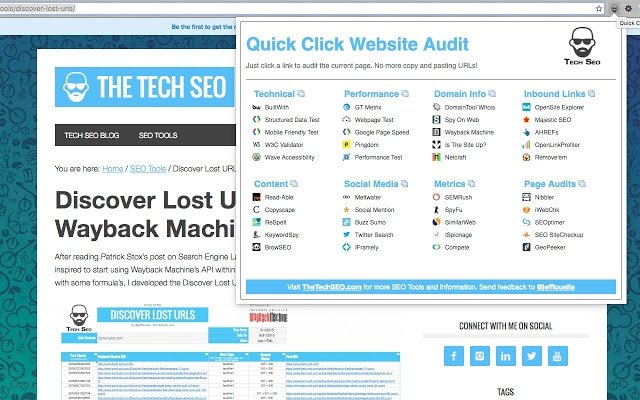
Quick Click Website Audit – This tool is very basic, but pretty fast and offers you with multiple options from one page. From technical analysis (Structured Data testing, AMP testing), Performance overview (GTMetrix, Pingdom tools, Google page Speed), Domain Details, Inbound links, Content analysis, social media analysis, and more. This tool is more of bookmark for all the tools that most SEO will be use, so you do not have to bookmark the other tools.
Number of Current Installs: 1,455 Users
7) SEO, Web Speed & Security Tester: Checkbot –
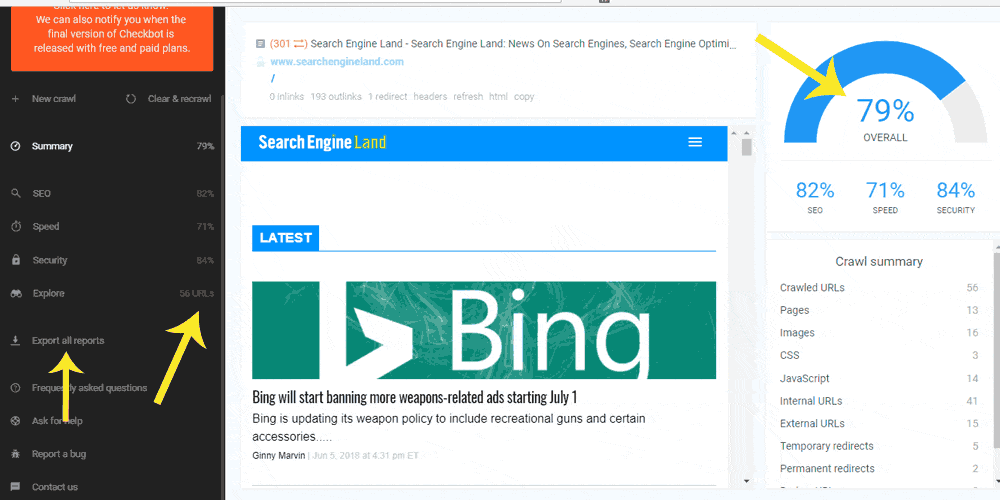
Developed by Checkbot.io, this is a great tool that offers almost what ScreamingFrog SEO tool offers. This chrome extension will run crawl all your pages and pull up the page Title, Descriptions, duplicate content (canonical issues), thin content, missing images alt text, code validation etc. It will even suggest basic security measures that website needs to take. They also have a small section for page speed with suggestions as shared by GTMetrix and other tools. Those who do not have ScreamingFrog Spider, should must have this extension. This tool runs full website (almost), instead of web page test as done by most extensions. It’ll even let you export the reports, just like ScreamingFrog does.
Number of Current Installs: 10,588 users
8) SEO Search Simulator by Nightwatch –
If you are agency like us, who offers services to clients across the globe, then this is extension will be of a great help. It lets you search the search engine Google from a specific country (& language) so that you see the results as your clients do. Unfortunately, they do not have an option for city specific, so not really helpful for those who are into Local SEO.
Number of Current Installs: 5,415 users
9) BigCommerce SEO Helper –
This extension is developed for those who uses BigCommerce for their online store. It lets you preview your SERPs in the BigCommerce admin panel.
Number of Current Installs: 266 users
10) SEO Inspector –
A nice little fancy tools, specially for those geeks. Once you add this extension, it lets you see the onpage elements in the chrome developer. I believe this is first of its kind in the digital marketing industry.
Number of Current Installs: 931 users
11) vidIQ Vision for YouTube –
Developed by Vidiq.com, this extension offers a nice audit report for any Youtube video. Some of the key features they have are, social data, historical data, backlinks data (embedded), keyword popularity, etc. Moreover, it’ll also let you export the report. For those who do Video SEO will certainly love this.
Number of Current Installs: 764,576 users
12) FATRANK –
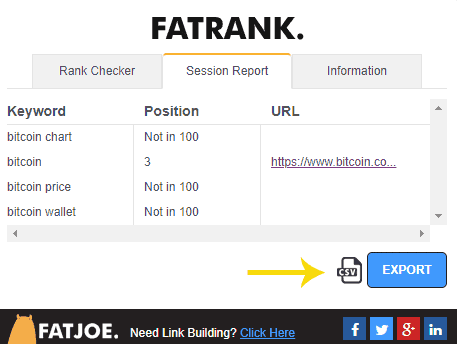
Keyword Rank Checker – Want to quickly check a ranking for any specific keyword for your website or your competitors website? This tool will help you find, where your keyword is ranking in a specific Google search engine (country). P.S – Make sure, you have the website open in the browser for which you want to track the rank and after that click on the extensions. Above all, it also lets you quickly export the result 
Number of Current Installs: 28,896 users
13) Blue Button | the webpage X-ray –
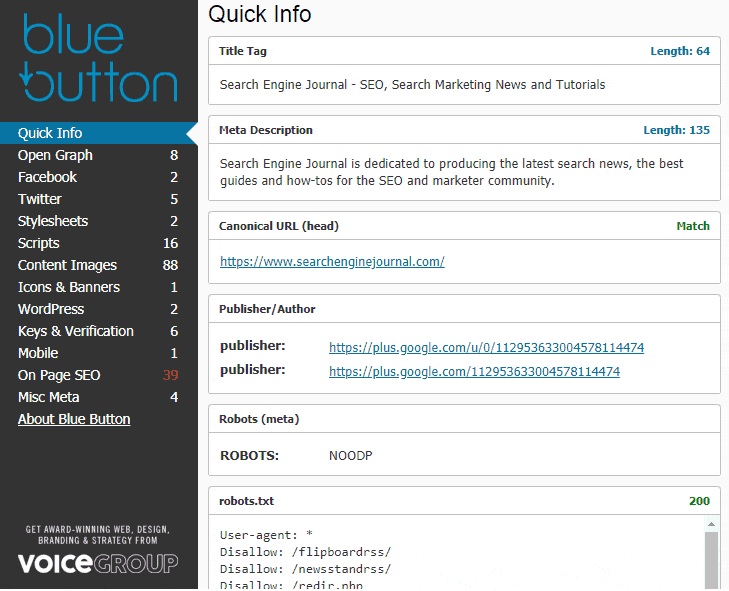
Yet another tool for Onpage website analysis. The UI of this tool is great and is a pretty organized. It lets you check the Opengraph data, stylesheets present (Good for non developer, to analyse how many css are present that decreases the page speed), fonts used by the website, images, Onpage SEO and many more.
Number of Current Installs: 6,432 users
14) Majestic Backlink Analyzer –
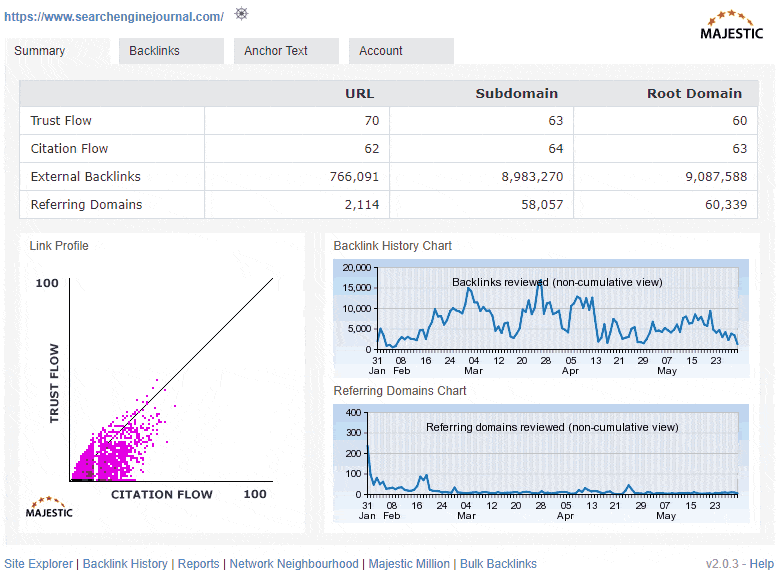
Offered by Majestic.com, this is must tool for any SEO. It lets you quickly check the website’s link profile right in the chrome window. The paid users, certainly gets to see more data. But it ain’t very useful for the free users.
Number of Current Installs: 55,074 users
15) Zest.is –
Love reading blogs? But lazy enough to open each blog to find the content worth reading? Download this extension and find content related to affiliate marketing, SEO, B2B Marketing, Social Media and more.
Number of Current Installs: 18,260 users
16) Broken Link Checker –
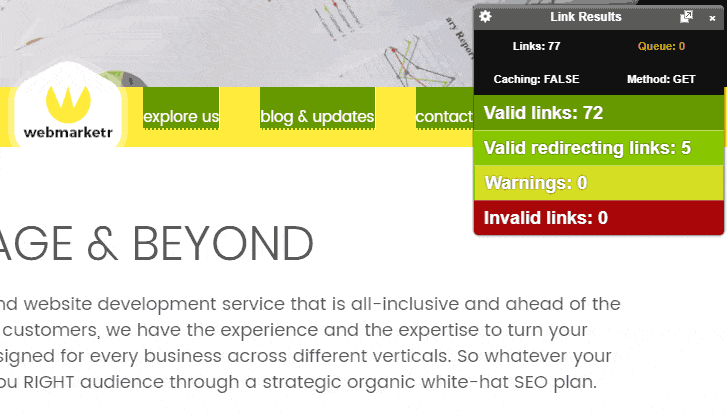
Do you want to check if any broken links are present on your webpage? Download this extension, and it’ll highlight all the broken links on your web page. If you are running a broken link building campaign or looking for broken link opportunities, this could be a handy tool to serve the purpose.
Number of Current Installs: 29,036 users
17) BrandMaxima Analytics for Youtube –
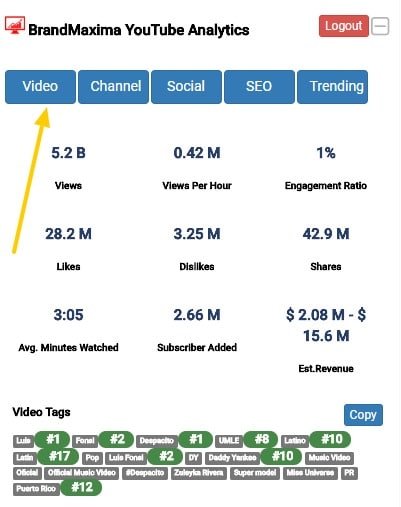
This could serve as an alternative to VidIQ extension. Run a quick audit for any Youtube video and get statistics of the same. It also offers, webpages that are linking to the specific Youtube video (backlink) and websites which have embedded the video.
Number of Current Installs: 519 users
18) OpenLink Structured Data Sniffer –
This browser extension will quickly let you see the structured data present on any webpage. You can spy on competitors website for Local SEO using this extension or run audit for your own website
Number of Current Installs: 5,291 users
19) IP Address and Domain Information –
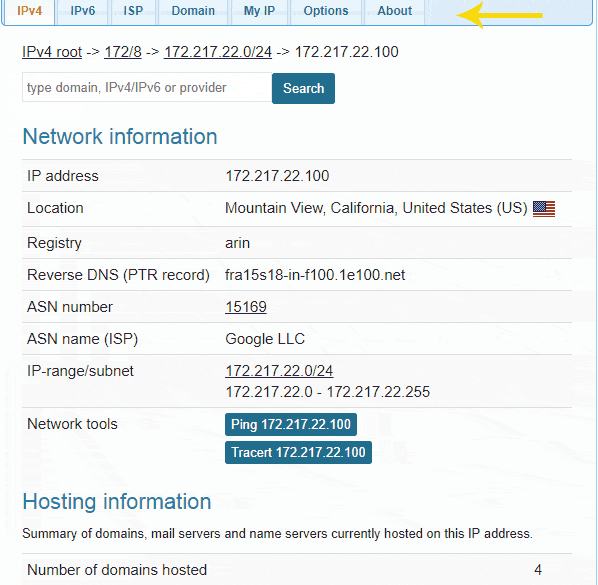
This tool will quickly lets you check your website’s IP, blacklist status, DNS records, SPF record and more.
Number of Current Installs: 137,490 users
20) Link Klipper –
This tool will quickly check all the hyperlink present on the webpage and will export it along with their anchor text. It can turn out to be very handy for link acquisition
Number of Current Installs: 53,694 users
21) Email Exporter –
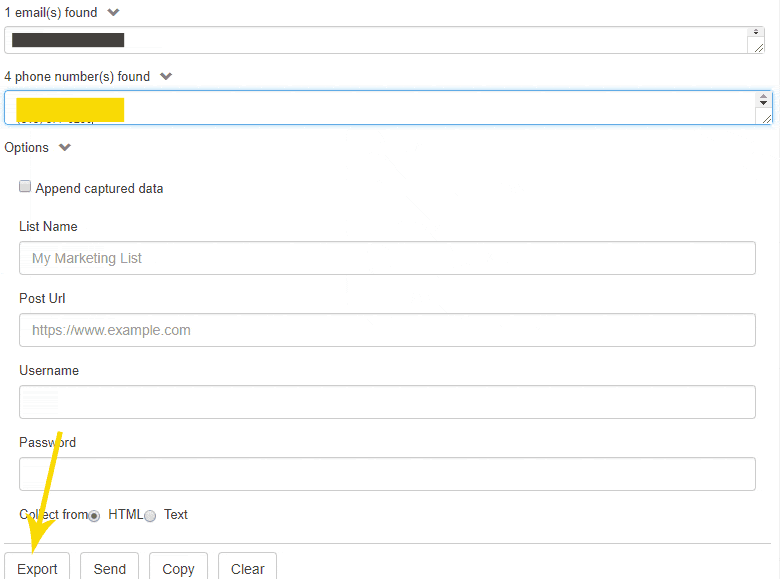
If you are running an outreach campaign, this extension will be of great help. This plugin will simply export all the email addresses and phone numbers, present on the webpage.
Number of Current Installs: 9,801 users
22) SeoStack Keyword Tool –
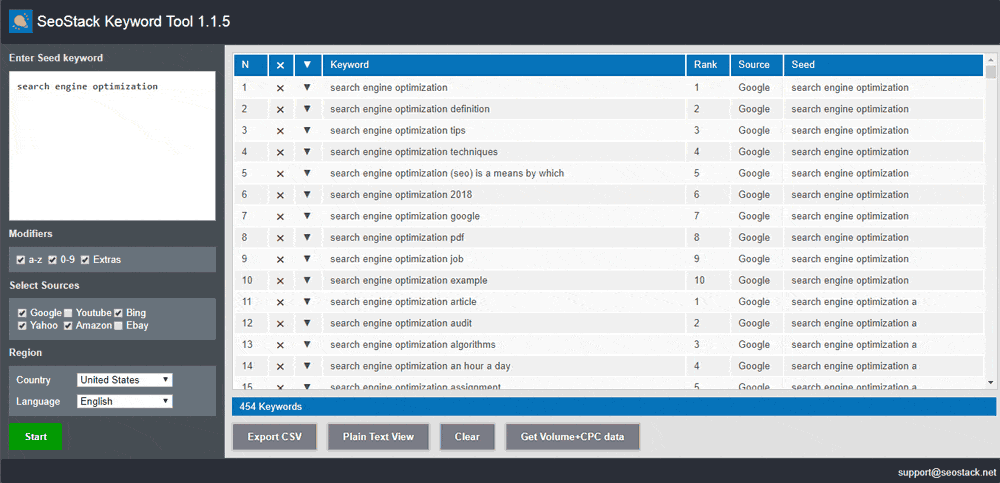
This extension will help you scrape and generate 100’s of short tail and long tail keywords by using autosuggestion feature present on Google, Youtube, Amazon, Ebay, Yahoo and Bing. Generate tonnes of keywords from a single or multiple seed keywords and simply export the file for further analysis. Must have tool for any SEO for extensive keyword researching. Tip – If you’re not looking to download an extension, then use KeywordShitter.com it does the same job ☺
Number of Current Installs: 21,689 users
23) SERP Preview Tool –
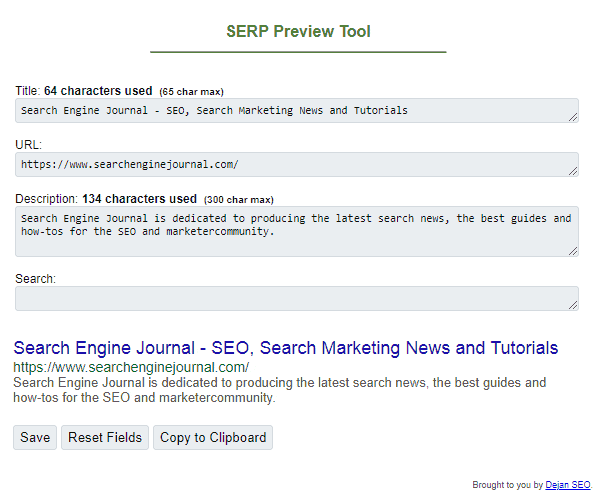
This is a very simple yet handy extension which lets you see how your website looks in the SERP. Nothing more
Number of Current Installs: 9,645 users
24) “GeoClever” for search Google –
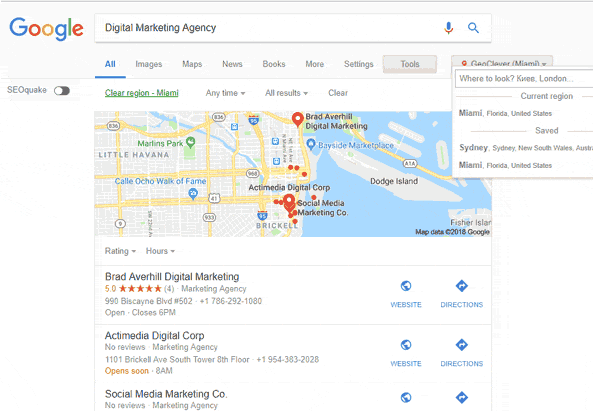
Awesome and must have plugin for any SEO. This extension will lets you search Google from any specific city, that way you see almost same results as your client seems (Specially for those who have clients from multiple cities/countries)
Number of Current Installs: 7,573 users
25) External Followed Link Highlighter –
Yet another simple tool that highlights all the outgoing links which has no-follow attribute. This extension helps you to make sure that any external link on your webpage, if needs to be nofollow. Also, could of a nice help to find that incoming links to your website from a specific page is Do-Follow or No-Follow.
Number of Current Installs: 1,189 users
26) UTM Tracking URL Builder for Google Analytics –
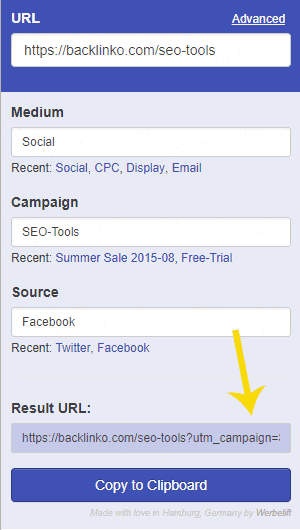
For Google analytics lover, this extension will let you tag all your links to segment the traffic in Google analytics. An extension worthwhile for those who do not know much of programming and HTML
Number of Current Installs: 1,307 users
27) Keyword Finder –
One of my favorite extension to track the keyword occurrence on the web page. This extension will quickly find & highlight all the words present on your website (ignoring the stop words) and even help you understand how many times they are repeated on a webpage, including the keyword position. Pretty neat for content optimization and keyword placement
Number of Current Installs: 1,368 users
28) Font Swap – for Google Fonts –
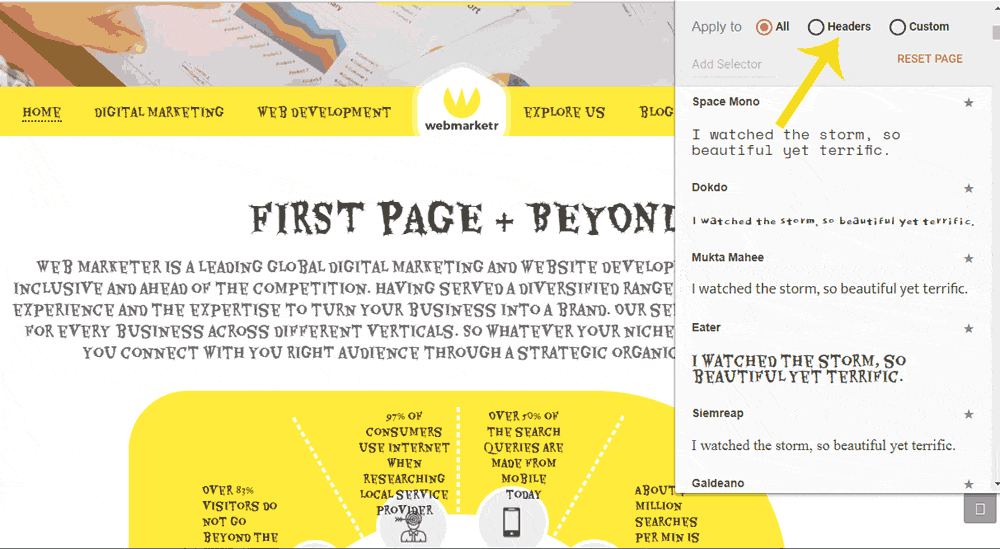
This extension will awestruck the Typography fans. If you are very particular about the fonts, or looking for A/B split testing for conversion optimization, this tool would of be a great assistance. It lets you quickly change any of your header or body fonts (Only if, you’re using Google fonts) and swap it with other available Google fonts
Number of Current Installs: 3,822 users
29) Check My Links –
This is an alternative of Broken Link Checker. If you want to find any links (internal or external) that are broken, this extension will be very useful. Run the broken link building with one click ☺
Number of Current Installs: 1,77,977 users
30) Keywords Everywhere –
If you’re like me, obsessed with keyword researching and opportunities then this is a pretty sweet tool. It lets you see the search volume and CPC for any word that you search in Google’s product (Google Search engine, Webmasters, Analytics etc). No need to open Google keyword planner to look up for the search volume. It display right in the browser window
Number of Current Installs: 4,54,411 users
31) Facebook Pixel Helper –
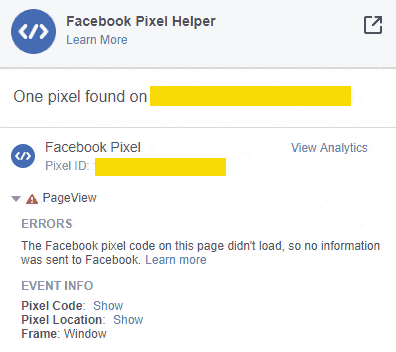
Installing and testing if the Pixel is integrated properly or not, is a time consuming job. Facebook has officially released an extension that lets you see, validate and troubleshoot the Pixel implementation on any web page. If you’re into retargeting, this can prove to be a gem
Number of Current Installs: 1,108,470 users
32) Pablo By Buffer –
This is a free extension and needs no login to buffer. You can create basic social media posts under a minute using this tool. It also lets you upload your own images but the max upload size is 3 MB. Give it a try and let grow your social profile
Number of Current Installs: 45,631 users
33) Page Analytics (by Google) –
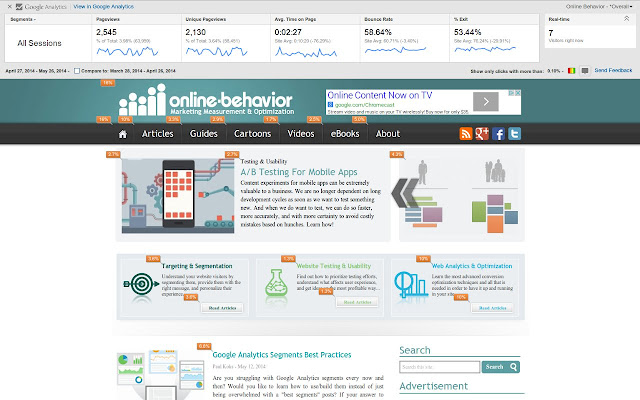
Google analytics official extension by Google which lets you see your website traffic details right in your browser. It saves a lot of time if you handle multiple websites and is lazy enough to open Google analytics in browser
Number of Current Installs: 818,788 users
34) Tag Assistant (by Google) –
Developed by Google, this is a must tool for SEO. Using this extension, you can easily find if your tags are properly installed and is firing.
Number of Current Installs: 1,542,827 users
35) Copy All URLs –
Extremely light weight, this tool will quickly let you open multiple URLs in Chrome which are copied in clipboard. Very useful, if you are running competitors analysis to check multiple websites together. Also, it offers a functionality using which you can copy all the URLs opened in the chrome browser. This also comes handy, when you are spying on competitors or have link prospects. It’ll copy all the URLs, and later you can save in your preferred application
Number of Current Installs: 1,11,299 users
36) Keyword Modifier –
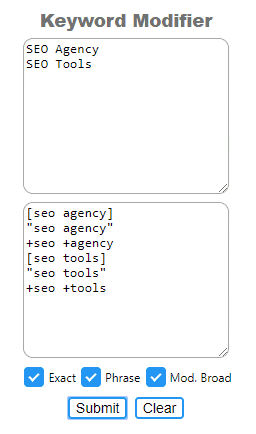
For all those PPC geeks, I found this great extension which will modify your PPC keywords in bulk. They have option for Broad Match Modifier as well, which I haven’t seen in many extensions. Though, the drawback is, they do not have an option for negative keywords. I hope, they’ll update this tool soon
Number of Current Installs: 113 users
37) SerpWorx –
Out of all the extensions listed here, this one is my favorite extension. You ask it and I bet they have it (or will update it). From SEMRush Data, Ahrefs, Moz to Majestic and super awesome features loaded in such a tiny piece of code. Be sure to check this and hey! Put your website in front ☺
Feel free to share any other extension that I must have missed. Hoping to soon release a list of addons for Firefox.
Number of Current Installs: 5,636 users
Yo, 881bet, huh? Felt pretty standard to me. Nothing crazy impressive, but nothing that will blow up in your face either if you know what I mean? 881bet
How are you?